A production-grade, desktop-only web browser with built-in ad blocking, AI assistant, workspaces, and developer-centric features. Fast, private, and powerful.
Your developer-first browsing experience
Everything you need for a productive browsing experience, built right in.
Block annoying ads and trackers automatically. No extensions needed. Enjoy faster page loads and better privacy.
Integrated Gemini AI to help you summarize pages, answer questions, and boost your productivity while browsing.
Organize your tabs into workspaces. Keep work, personal, and project tabs separate and organized.
Securely store and manage your passwords. Auto-fill credentials across websites with ease.
Browse privately without saving history, cookies, or site data. Perfect for sensitive browsing.
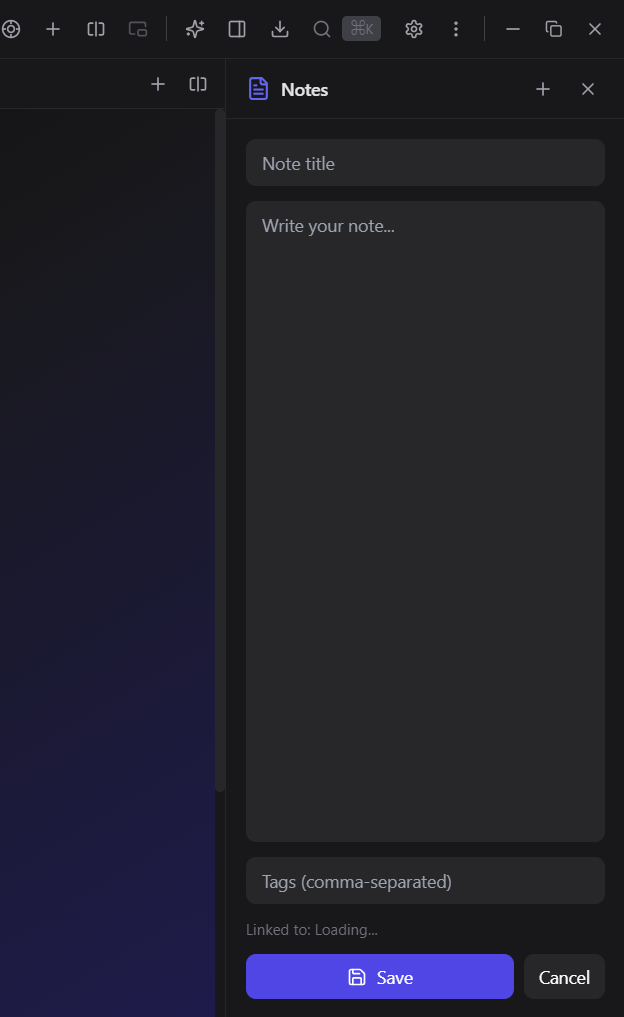
Take quick notes while browsing. Your notes are saved locally and always accessible from the sidebar.
Pin your favorite sites for one-click access. Customize with keyboard shortcuts for power users.
Beautiful dark theme designed for developers. Easy on the eyes during those late-night coding sessions.
Distraction-free reading experience. Strip away clutter and focus on the content that matters.
Explore Phexara's powerful features through these screenshots. Click any image to enlarge.
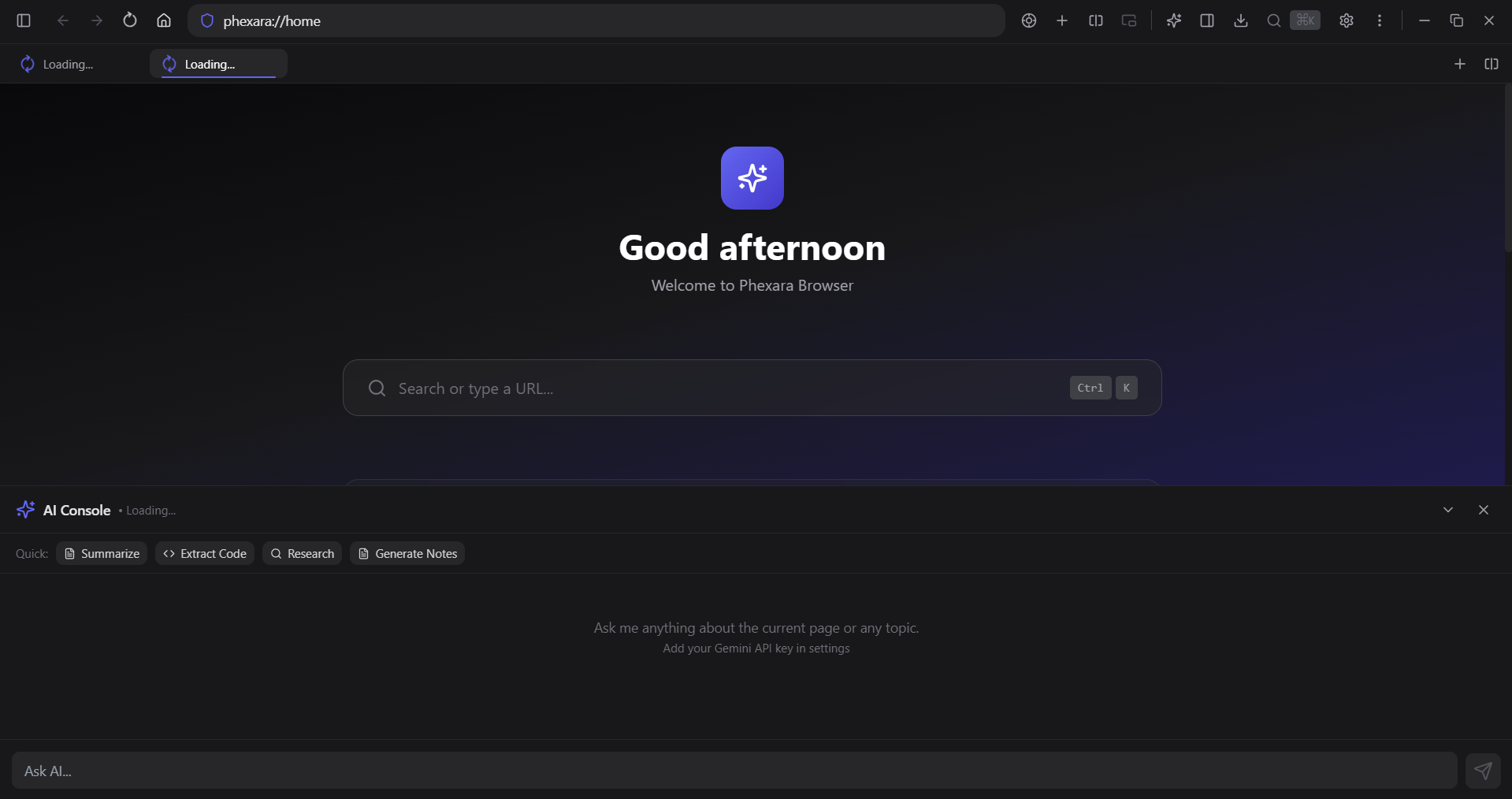
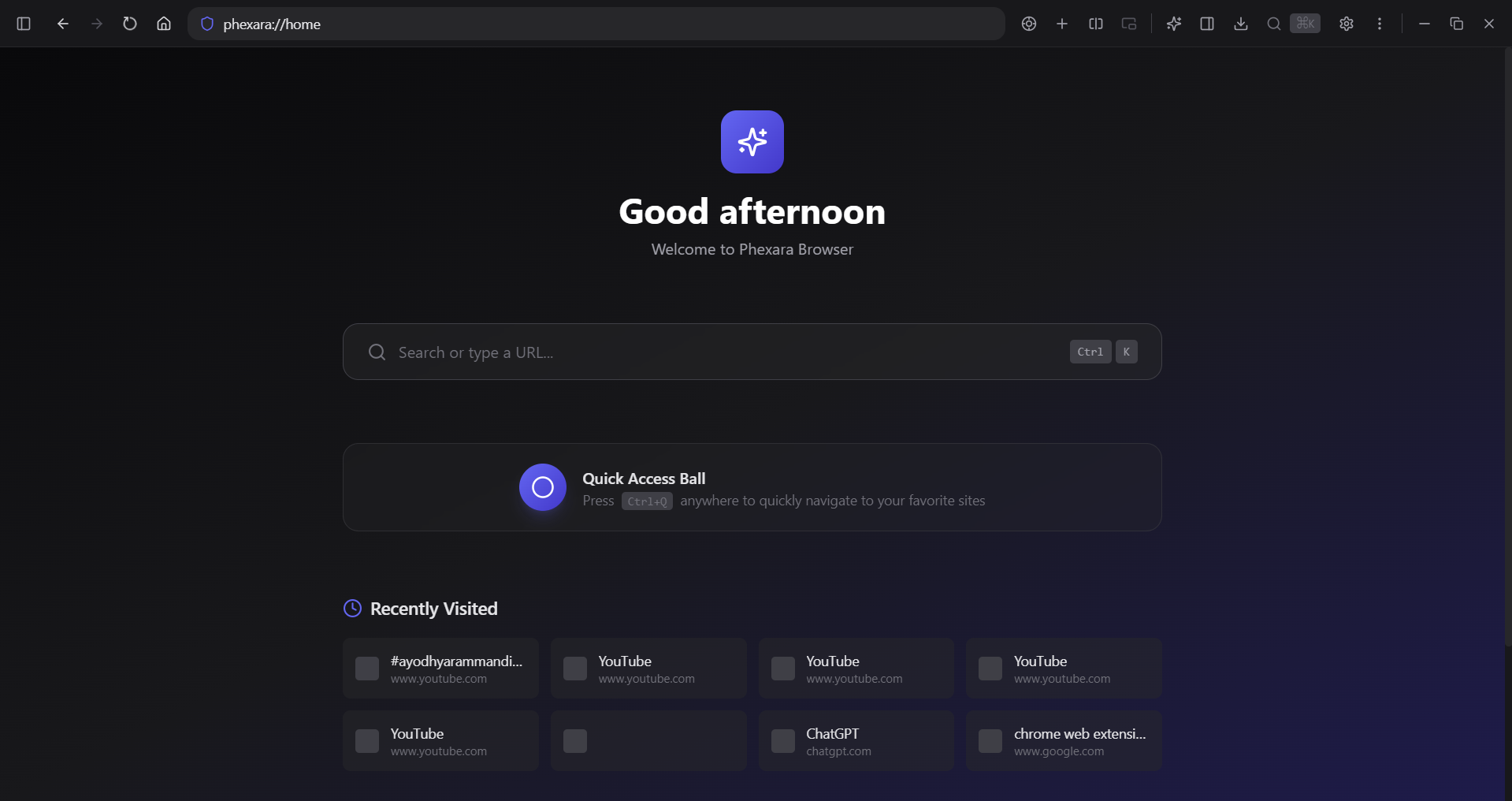
Clean, modern interface with tab bar, address bar with smart suggestions, and quick access toolbar. The dark theme is easy on the eyes for extended browsing sessions.
Chat with Gemini AI directly in your browser. Ask questions, summarize pages, or get coding help without leaving your workflow.
Ctrl + J
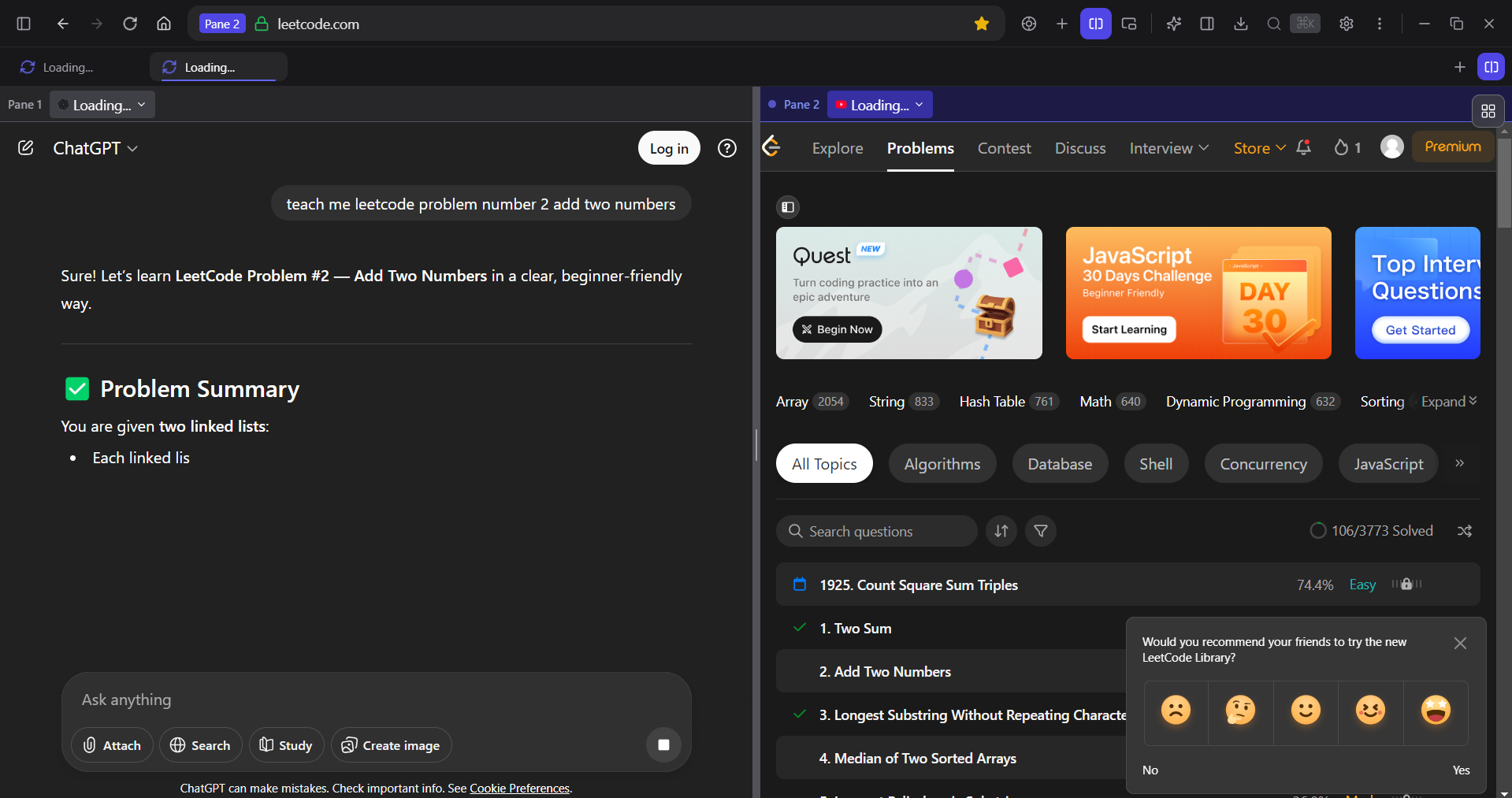
View two websites side by side. Perfect for comparing content, referencing documentation while coding, or multitasking.
Ctrl + \
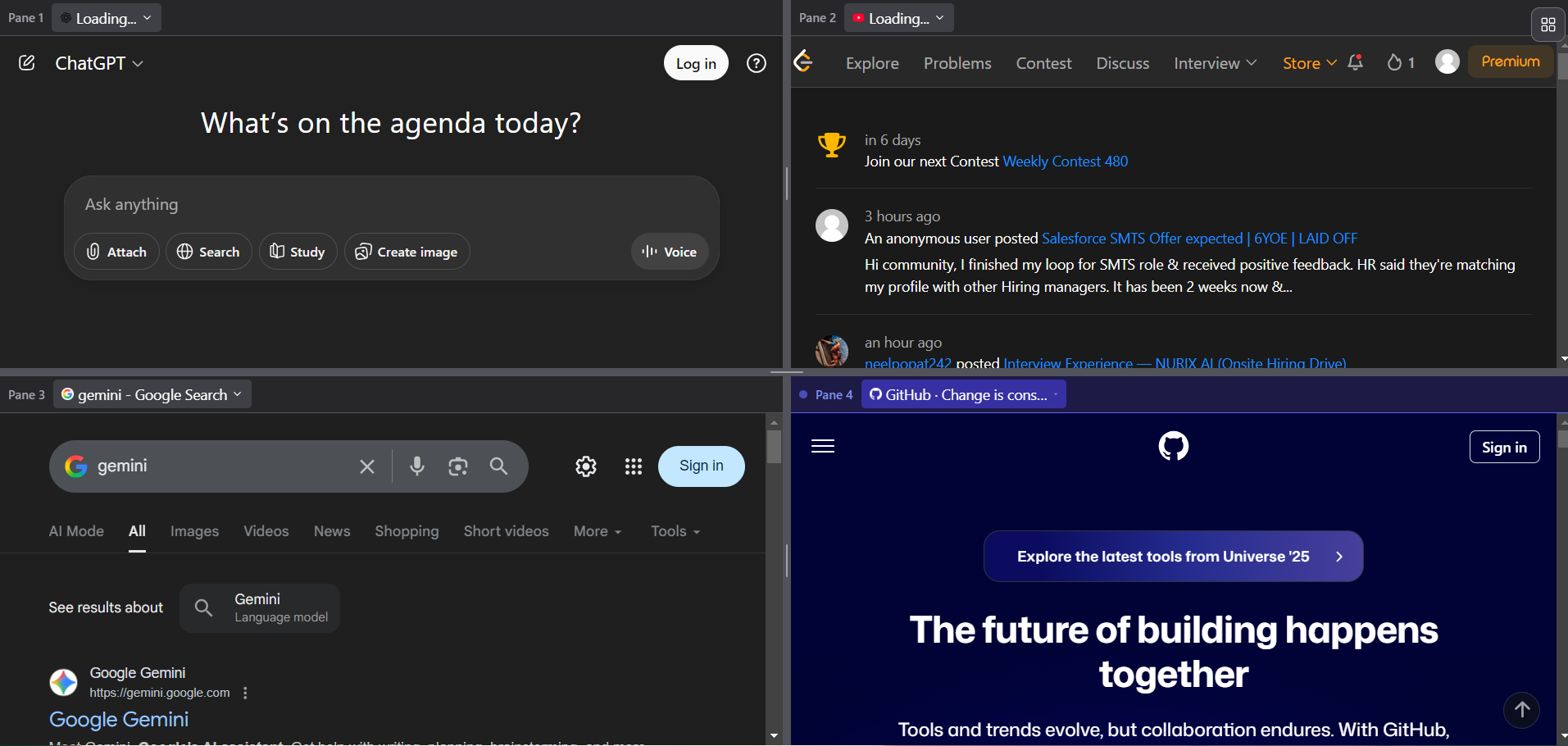
Go beyond two panels! Split your view into up to 4 sections for ultimate multitasking and productivity.
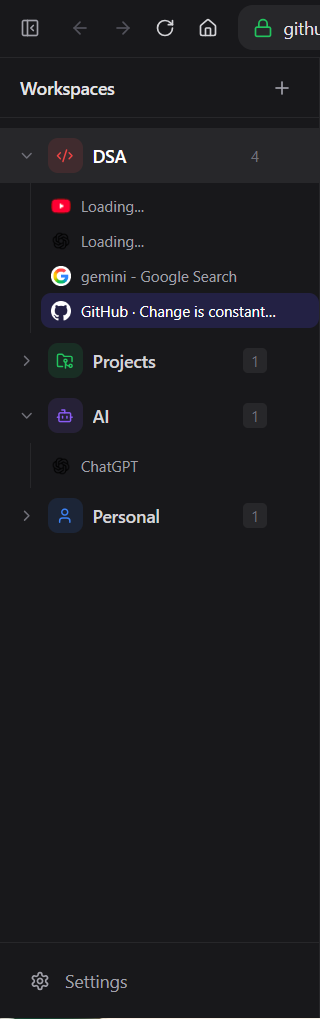
Organize tabs into separate workspaces for different projects or contexts. Switch between work, personal, and project tabs instantly.
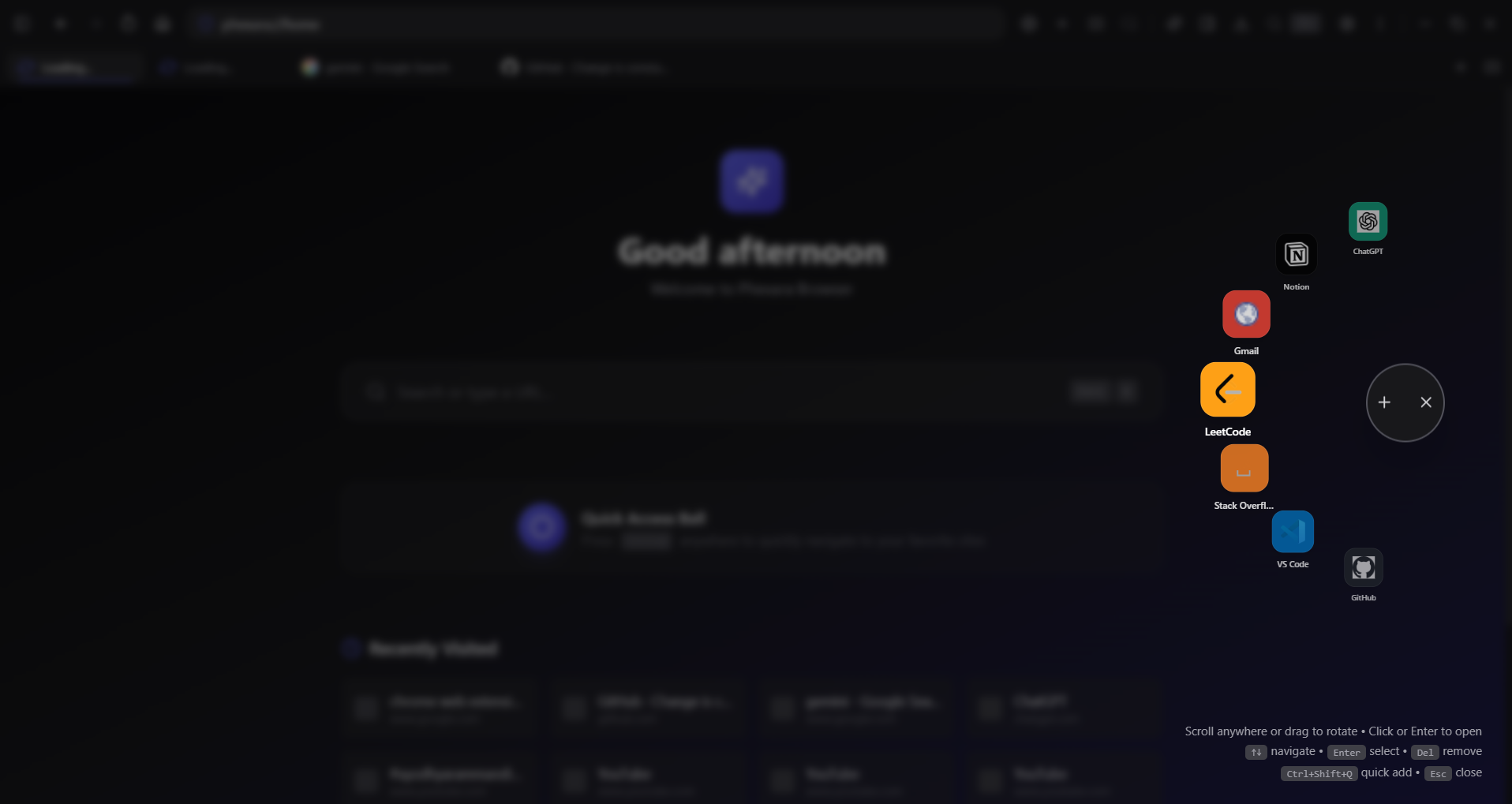
A floating action button for quick access to common actions like screenshots, notes, and AI. Drag it anywhere on your screen.
Ctrl + Q
Take notes while browsing without switching apps. Notes are saved locally and organized for easy retrieval later.
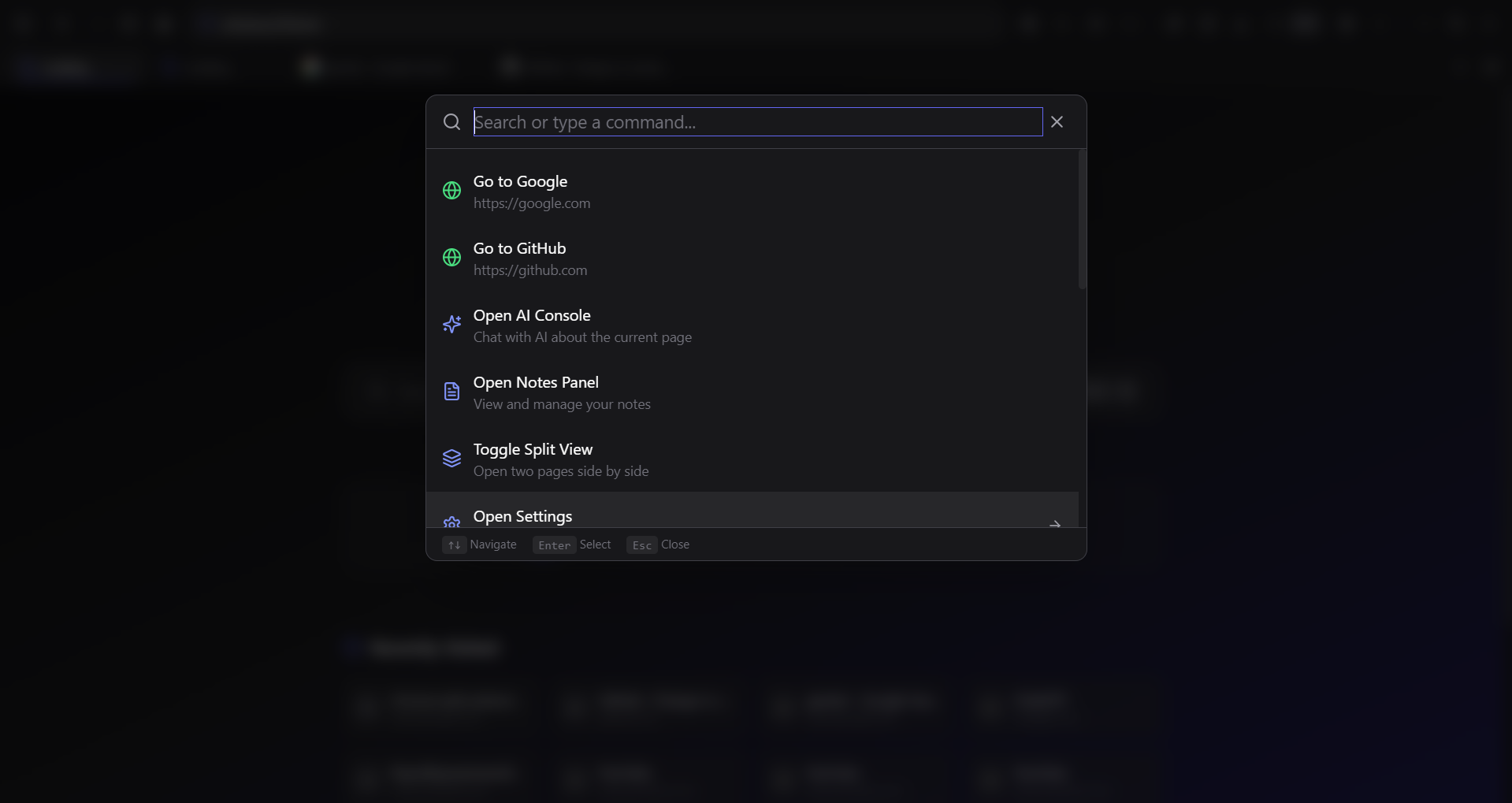
VS Code-style command palette for power users. Quickly access any feature, toggle settings, or navigate using keyboard shortcuts.
Ctrl + K
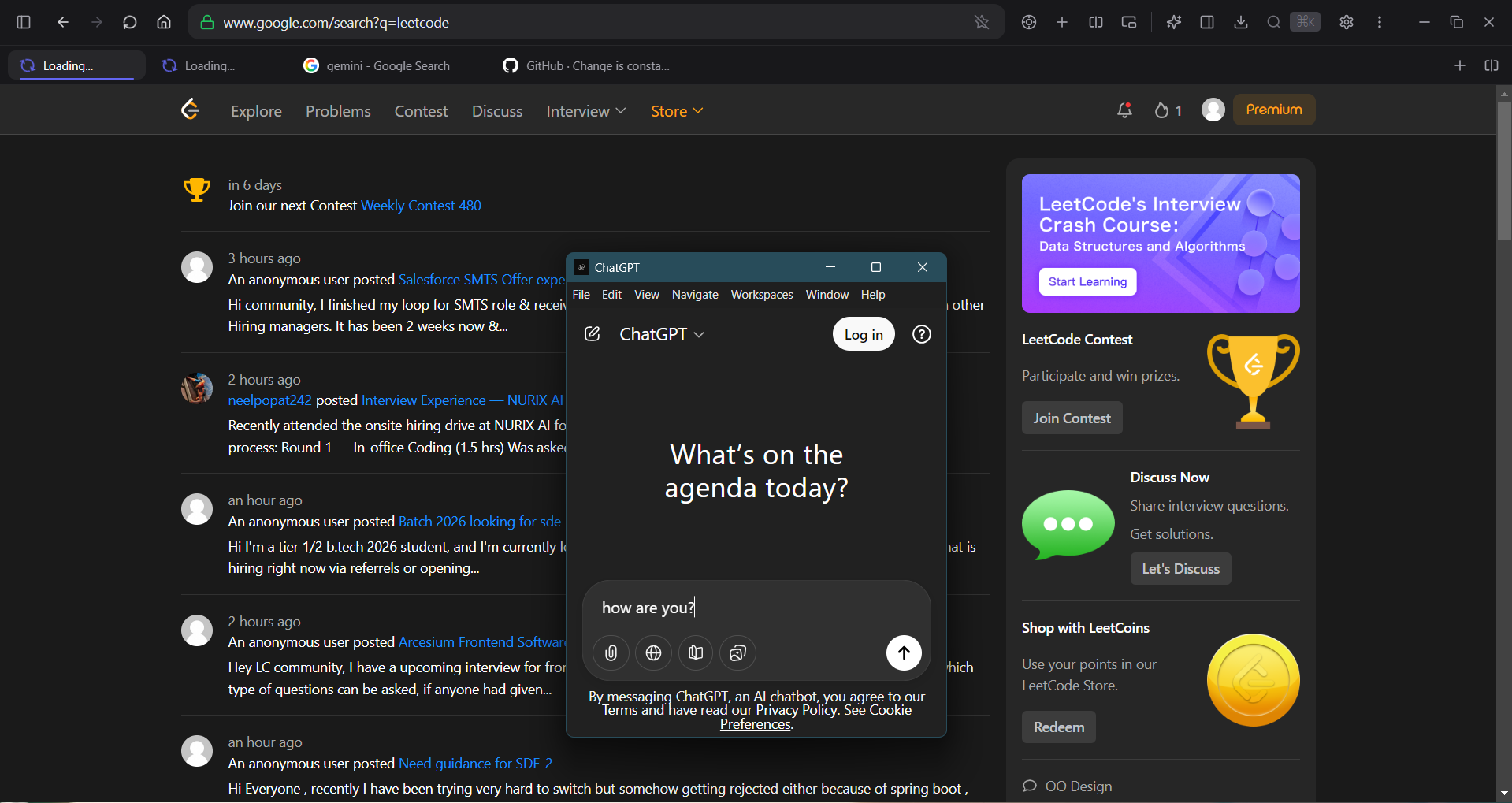
Pop out any tab into a floating always-on-top window. Perfect for video calls, tutorials, or reference material while working.
Ctrl + Shift + PChoose your platform and start browsing with superpowers.
Version 1.0.0 • 115 MB
Download .exeVersion 1.0.0 • Coming Soon
Version 1.0.0 • Coming Soon
Built with specific users in mind who want more from their browser.
Phexara Browser is currently in beta testing. While we've worked hard to make it stable and feature-rich, you may encounter bugs or incomplete features.
By downloading, you acknowledge that:
Found a bug? Report it to anubhav09.work@gmail.com
An open-source project crafted with care.
Creator & Lead Developer